
Why student budgeting feels different in the digital age
Trying to manage money in college today is nothing like it was even 10–15 years ago. Your rent might go through a banking app, your food is paid via QR codes, half your subscriptions renew automatically at 2 a.m., and side-income arrives from three different platforms. Cash is barely involved, which makes it dangerously easy to lose track. The good news: the same digital environment that complicates your finances also gives you extremely powerful student money management tools online — if you use them deliberately, not just install and forget. This article walks through practical, real-life ways to build a budget that actually survives contact with your everyday student life, not just looks neat in a spreadsheet.
—
Step 1: Map the money flows before you “make a budget”
Most budgets fail not because the math is bad, but because the data feeding that math is incomplete. Before you open any app, it’s worth spending 30–40 minutes to map how money really moves in and out of your life. This is less about being “responsible” and more about building a financial data model of your own cashflow. Think of yourself as debugging a program: you can’t optimize something you haven’t instrumented. For one full month, export card statements from your bank app, check PayPal, Venmo, Cash App or Revolut histories, and screenshot any recurring subscription invoices. Your only job in this stage is to list sources (stipend, part-time job, family transfers, scholarships, freelance gigs) and sinks (food, housing, transport, study materials, fun), without judging any of it yet.
Technical block: a minimal personal cashflow map
You can treat your finances like a very simple event log:
– Inputs (IN):
– Scholarship: +$600 / month
– Part-time job: +$320 / month (after tax)
– Family support: +$150 / month
– Outputs (OUT):
– Rent + utilities: −$420
– Transport: −$55
– Food (groceries + eating out): −$260
– Subscriptions (streaming, cloud, apps): −$42
– Course-related (books, software, printing): −$70
– Everything else (coffee, parties, random online buys): −$110
Your net is the sum of IN minus OUT. Only after you see this net number for at least one realistic month do you know if you have a structural problem (spending more than comes in) or just a prioritization problem (money leaks into the wrong categories).
—
Step 2: Choose the right budgeting setup (and keep it stupid simple)

In the digital age, “budgeting” is less about keeping a detailed ledger and more about building a quick feedback system. If you pick a tool that’s too complex, you’ll simply stop using it after midterms. Instead of chasing the single perfect app, combine two or three elements: a tracking tool, a payment hub, and a quick review habit. Many of the best budgeting apps for students are great at auto-categorizing transactions, but they can’t understand your personal priorities unless you tell them explicitly, so assume you’ll still need to tweak categories for the first couple of weeks while the algorithm learns.
Core components of a digital student budget
– Tracking layer: something that records and categorizes every transaction automatically (bank app, aggregator like Mint, Emma, or a regional equivalent).
– Control layer: a system for deciding “how much is allowed” per category each month (simple envelope method, rules like 50/30/20, or a custom rule-set that matches your campus reality).
– Review layer: a weekly 10–15 minute check-in to see whether your actual spending is aligned with what you decided, and to do tiny course corrections rather than painful fixes at the end of the month.
You can absolutely implement all three layers with a single app, but many students end up with a hybrid: bank app for tracking, Google Sheets for control, and a calendar reminder for weekly reviews. The key is consistency, not tool perfection.
—
Using banking tech to automate discipline
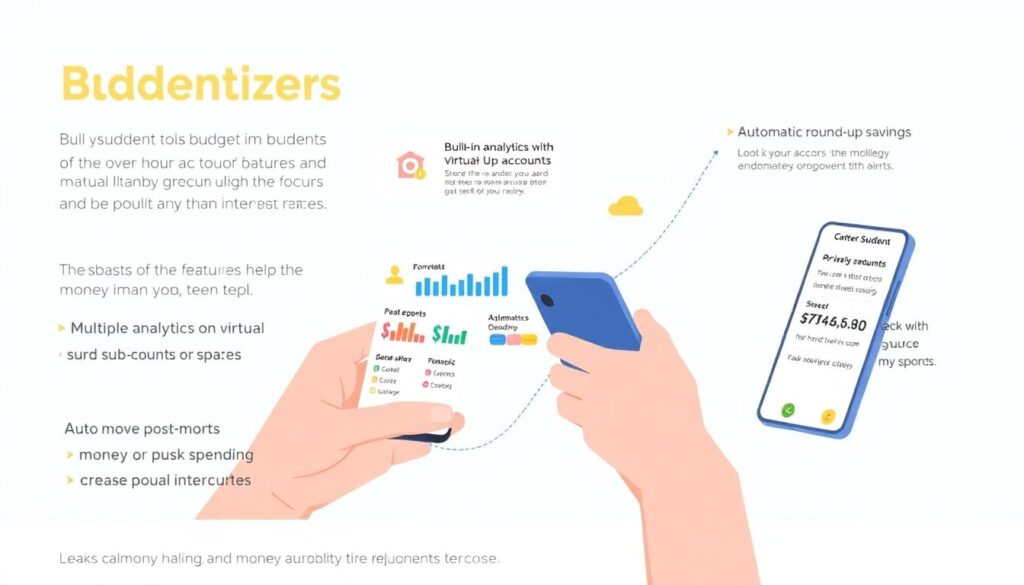
Modern student bank accounts with budgeting features are underrated. Many banks now provide built-in analytics, virtual sub-accounts or “spaces,” automatic round-ups, and push alerts. Instead of just comparing interest rates, look at these behavioral features: a bank that nudges you away from overspending is often more valuable than one that pays 0.1% more on your balance. For a student, friction is sometimes a feature: a two-second “Are you sure?” prompt before confirming a large discretionary purchase can save you from ten impulsive buys a month, which often matters more than purely theoretical returns.
Technical block: simple automation you can set up in 30 minutes
– Automatic split on payday:
– 60–65% → “Essentials” space (rent, food, transport, phone).
– 20–25% → “Goals” space (emergency fund, future laptop, travel).
– 10–15% → “Fun” space (going out, hobbies, takeout).
– Rules to set in the app:
– Auto-transfer on income day from main account into those spaces.
– Push notification when any space drops below 20% of its monthly allowance.
– Optional: block online card payments from the “Essentials” space so impulse buys cannot accidentally eat into rent money.
Once this runs, you’re no longer “being disciplined” each time. You’re just obeying the structure you built when you were thinking clearly, not at 1:00 a.m. after an exam and three energy drinks.
—
Real-life examples: what actually works for students
To make this less abstract, look at what different types of students actually do. A first-year student living in a dorm with a meal plan has a completely different cost structure from a commuting senior who pays full rent and cooks. A computer science major with freelance gigs needs to track irregular income; a med student with a heavy schedule might prefer ultra-simple automation. In practice, the most sustainable budgets share three traits: they are slightly conservative about income, brutally honest about recurring costs, and forgiving about occasional spikes as long as the monthly trend is downward, not upward.
Example 1: Dorm student on scholarship

Maria has a $700 monthly scholarship plus $200 from family. Dorm and meal plan are prepaid for the semester. Her main risks are subscriptions, transport, and “little extras” that add up. She routes everything through one card, and her bank app automatically categorizes spending. She sets a hard monthly cap of $80 on subscriptions and deletes or downgrades anything that pushes her above that. A weekly 10-minute review on Sunday helps her see if she’s drifting into heavy food delivery instead of using her already-paid cafeteria access.
Example 2: Off-campus student with part-time job
David rents a room off campus for $380/month, works two evenings a week earning about $360/month, and gets $200 from his parents. His risk is cashflow timing: rent is due on the 1st, but his job pays every Friday. To avoid stress, he uses an extra “rent buffer” space with a strict rule: any inflow during the last 10 days of the month partially fills next month’s rent in advance. He also tracks recurring payments in a simple Google Doc so that if he ever needs to cut costs fast, he knows exactly which recurring charges to kill first.
—
Digital tricks for “how to save money in college on a tight budget”
When your numbers are already lean, you can’t just “spend less” in the abstract; you need concrete levers. The digital age gives you leverage in three obvious zones: price discovery, timing, and substitution. Used together, they can easily free up $30–$80 per month without feeling like self-punishment, which is material when your whole budget is only a few hundred dollars.
Practical levers you can apply this week
– Price discovery: use browser extensions to auto-check cheaper options for textbooks (used copies, international editions, rentals). Many students cut textbook costs by 40–60% this way.
– Timing optimization: subscribe or pay for tools only during the months you actually need them. Pause streaming services during exam blocks when you don’t have time to watch anyway.
– Substitution: systematically swap 2–3 habitual paid items (daily coffee shop run, delivered dinner) for cheaper but acceptable alternatives (campus coffee, batch cooking twice a week), tracking the savings explicitly for one month to feel the impact.
Even a tight budget usually has “soft spots” visible once all transactions are in one place. The key is to treat cuts like targeted refactoring of a codebase, not random deletion: change the few biggest and most wasteful lines, not every single one.
—
Leveraging student money management tools online
There’s now a huge ecosystem of web-based dashboards, Chrome extensions, and mobile apps that sit on top of your existing accounts and provide better visualizations, forecasts, or alerts. Some of the more advanced student money management tools online can predict when you’re likely to hit a negative balance based on historical patterns, or simulate how much faster you’d reach a savings goal by cutting specific categories by fixed percentages. The trick is to use these tools to inform decisions, not to replace them: they can highlight patterns you don’t see, but you still have to decide whether you care about those patterns enough to change behavior.
Technical block: what to look for in a digital budgeting tool
– Data import flexibility: automatic sync with your bank(s), PayPal, and main wallets; CSV import if necessary.
– Category customization: ability to rename, merge, or split categories to reflect your real life (e.g. separating “study coffee” from “night-out drinks”).
– Goal tracking: clear visualization of progress toward savings goals with timelines and “if you keep this up, you will reach X by Y date” projections.
– Alerts granularity: configurable alerts, so you don’t get spammed but do get notified for genuine issues like approaching overdraft or an unusually high category spike.
Set yourself a simple rule: if a tool doesn’t save you at least 20 minutes per month or reveal patterns you didn’t notice, it’s probably just digital noise.
—
When to use professional financial planning services for college students
Not every student needs a professional advisor, but there are specific scenarios where external expertise is worth the time. For example, if you’re juggling multiple student loans with different interest rates, coping with cross-border tuition payments, or already carrying credit card debt, a generic budget app is not enough. Modern financial planning services for college students often bundle online sessions, calculators, and document templates that help you prioritize which debts to attack first, how to build a realistic payoff schedule, and how to avoid expensive pitfalls like high-fee overdrafts or predatory “student” credit offers.
The important part is to treat such services as targeted interventions, not permanent crutches. Use them to design a structurally sound plan — which accounts to use, which debts to prioritize, how much buffer to keep — and then automate as much of that plan as possible via your banking and budgeting tools. Revisit a professional only when your life situation meaningfully changes (new country, major income shift, large loan added), not for day-to-day spending decisions.
—
Choosing and combining the best budgeting apps for students
There’s no single winner that suits everyone, despite what marketing pages claim. Instead of searching endlessly for the one “perfect” product, define your constraints: do you care more about privacy, multi-currency support, or aggressive nudges? Are you okay with manual entry if it gives you more control, or do you know you’ll never log cash by hand? Many of the best budgeting apps for students do one thing exceptionally well — forecasting, habit tracking, envelope-style budgeting, or bank aggregation — and are mediocre at others, so a lightweight combo is often superior to forcing one heavyweight app to do everything badly.
A realistic approach is to test-drive one app seriously for a full month: connect real accounts, enable notifications, and actually follow its recommendations. Then perform a short “retrospective”: what worked, what irritated you, and which features you didn’t touch. If you find you only used the spending graph and alerts, you might be better off with a simpler solution integrated directly into your bank. Conversely, if you got hooked on detailed category breakdowns and goal dashboards, a more advanced app might justify a small monthly subscription out of the savings it helps you realize.
—
Putting it all together into a sustainable weekly routine
Budgeting stops working the moment it becomes a one-time project. The digital tools you choose should plug into a minimal routine that fits around classes, labs, and social life. Think in terms of “maintenance cost”: if your system needs more than 20–25 minutes per week to stay up to date, it will probably collapse during exam periods. Design your setup to survive your busiest month, not your calmest one, and automate everything that doesn’t need your judgment — such as transfers on income day — so that your limited attention is reserved for trade-offs and priorities.
Simple weekly cadence that actually works
– 5 minutes on Monday: open your banking or budgeting app, glance at category totals, and check for any suspicious or forgotten charges.
– 10 minutes on Friday: adjust the upcoming weekend’s “fun” budget based on how the week went; if you overspent on food, consciously trim entertainment to avoid drifting negative.
– 10 minutes at end of month: review totals, decide on one optimization for next month (cancel one subscription, tweak one category, modify one automation), and then lock it in.
By keeping the routine light but regular, your digital tools evolve with your life instead of freezing a budget that no longer matches reality. Over one or two semesters, this approach turns budgeting from a source of guilt into a quiet background process — like keeping your operating system updated — that gives you confidence you’re not silently drifting into financial trouble while you’re busy trying to graduate.